
 07 Oct, 2025 • 2 minute read
Why folders in Qaxa keep work organized
Qaxa Folders are designed to solve that problem in a simple way: they let you organize your sidebar around your own priorities, without changing the view for anyone else.
A private structure for shared work
In many tools, shared structure is rigid. If something moves, it moves for the whole team.
Qaxa works differently.
Folders are personal to you. They act as a private organizational layer over your rooms, so you can group work in the way that makes sense for your day, your clients, or your responsibilities.
One teammate might group rooms by department.
Another might group them by deadline.
A third might separate client work from internal work.
All of those views can exist at the same time.
Why that matters
Shared work does not always mean shared organization.
As the number of rooms grows, different people need different ways to stay oriented. A manager may think in functions. A lawyer may think in matters. An agency may think in clients. A founder may think in priorities.
Folders let each person shape their own view without creating friction for everyone else.
How it works
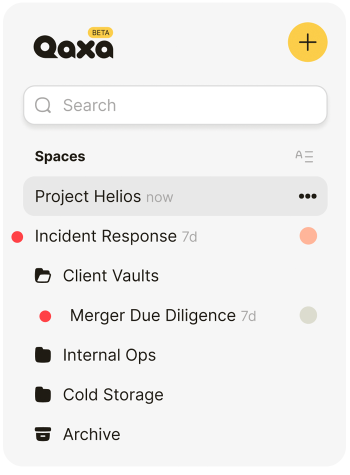
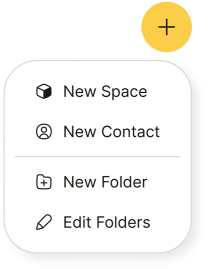
Create a folder, name it, and drag rooms into it.
Folders appear in your sidebar as collapsible groups, helping you reduce noise and keep the most relevant work easier to reach.
You might use them like this:
- Active clients
- Internal work
- Waiting on review
- Archived rooms
- Personal notes and drafts
The point is not complexity. The point is clarity.
The result
Folders give you a cleaner view of your work without changing the shared structure underneath.
They help you reduce clutter, separate contexts, and keep the sidebar aligned with the way you think.
Built to scale with you
If you only work across a few rooms, a flat list may be enough.
But once you are managing multiple clients, matters, teams, or internal projects, folders make it easier to stay organized without losing speed.
What stays the same
The principle behind folders is simple: organization should help you focus, not force one structure on everyone.
In Qaxa, your sidebar stays yours.