
 27 Nov, 2025 • 2 minute read
Why Qaxa replaces share links with private rooms
The file may be protected, but the workflow around it is often fragmented. The file lives in one place. The explanation lives somewhere else. Access is handled through a link that can be forwarded, lost, or misunderstood.
Qaxa takes a different approach.
Instead of treating file sharing as a public-link problem, Qaxa treats it as part of a private collaboration environment.
The limits of share-link workflows
Share links are convenient, but they come with tradeoffs.
Storage and access are abstracted away
Once a file becomes a link, the actual handling of storage, retention, and access often becomes less visible to the user.
Metadata still exists
Even when a file is protected or later deleted, the surrounding activity may still leave logs and operational records.
Context gets separated from the file
The file is in one place. The reason it matters is often somewhere else—in an email thread, a chat message, or a note that can be lost.
That may be fine for lightweight sharing. It is less ideal for sensitive work.
A private room instead of a public link
Qaxa Vault is designed around a different model.
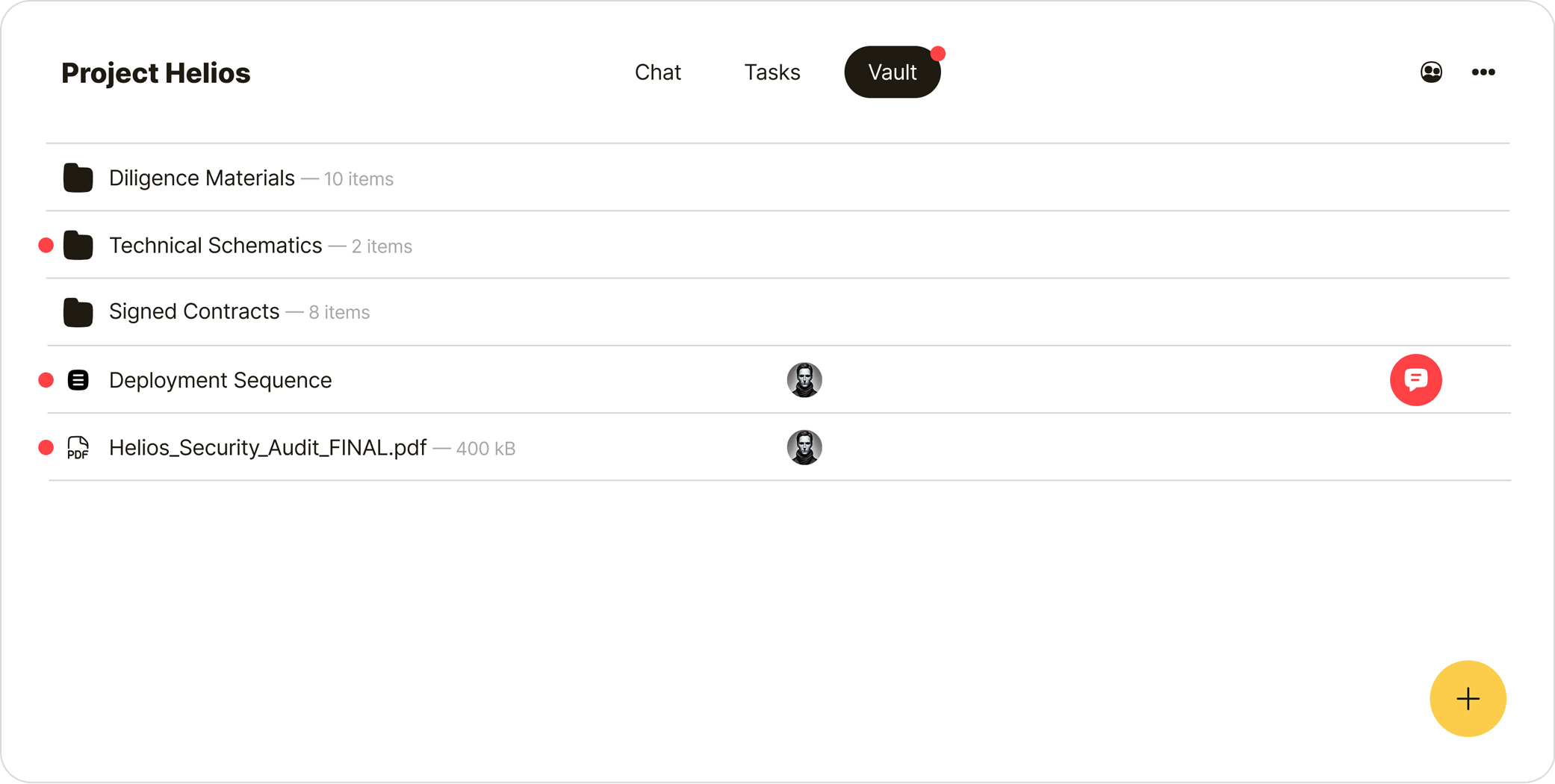
Instead of generating a public-facing link, you keep the file inside the room where the work is happening. The people who belong in that room can access it. The people outside it cannot.
That means:
- no open share link circulating outside the room
- no separate file-sharing flow detached from the work
- no need to move sensitive documents through an external link-based process
How Vault works
Encrypted before upload
Files are encrypted before they leave your device. Authorized members of the room can decrypt and access them. The provider stores encrypted data, not readable files.

Files and notes stay together
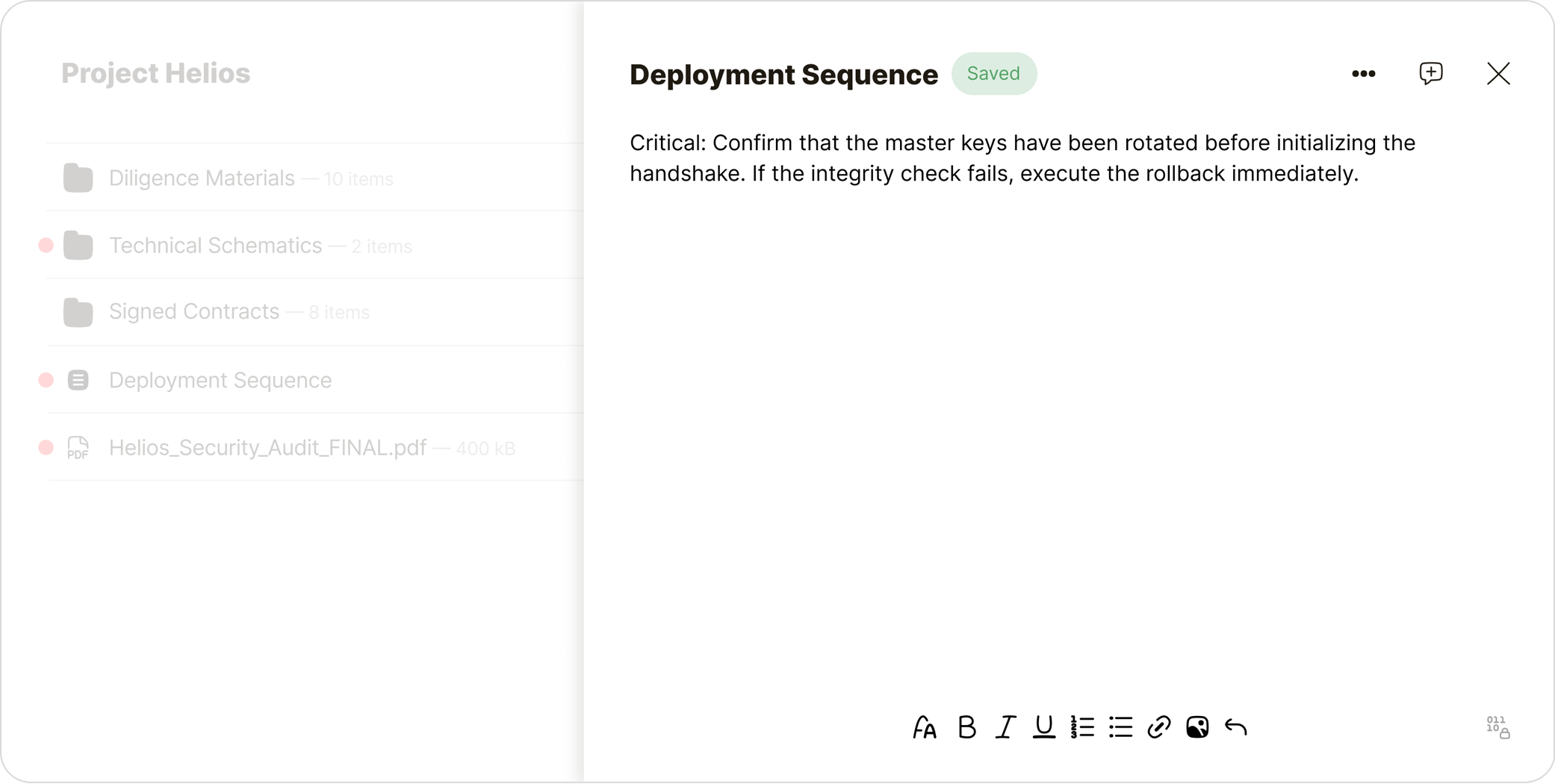
A file often needs explanation. In Vault, notes can live alongside files, so a contract can sit next to a summary, a brief can sit next to source material, and a folder can hold both the document and the context around it.
Access follows the room
If the room is private, the file stays private. If the room includes selected collaborators, access follows that membership model.
The point is to make file sharing part of the room, not a separate public workflow.
Why this matters
Vault is more than a file manager.
It is a way to keep:
- the file
- the explanation
- the relevant people
- the security model
inside one private environment.
That reduces exposure, keeps context attached, and makes sensitive file sharing easier to manage.
The result
File sharing becomes less about generating links and more about working inside the right environment.
You do not send a document out into the open and hope the controls hold.
You keep it where the work already lives.