
Why spaces are the foundation of Qaxa
Most tools force you into a rigid structure. They give you a "Project" that is overloaded with features you don't use, or a "Channel" that lacks the tools to get work done. They are built around the vendor's workflow—not yours.
Secure compartmentalization
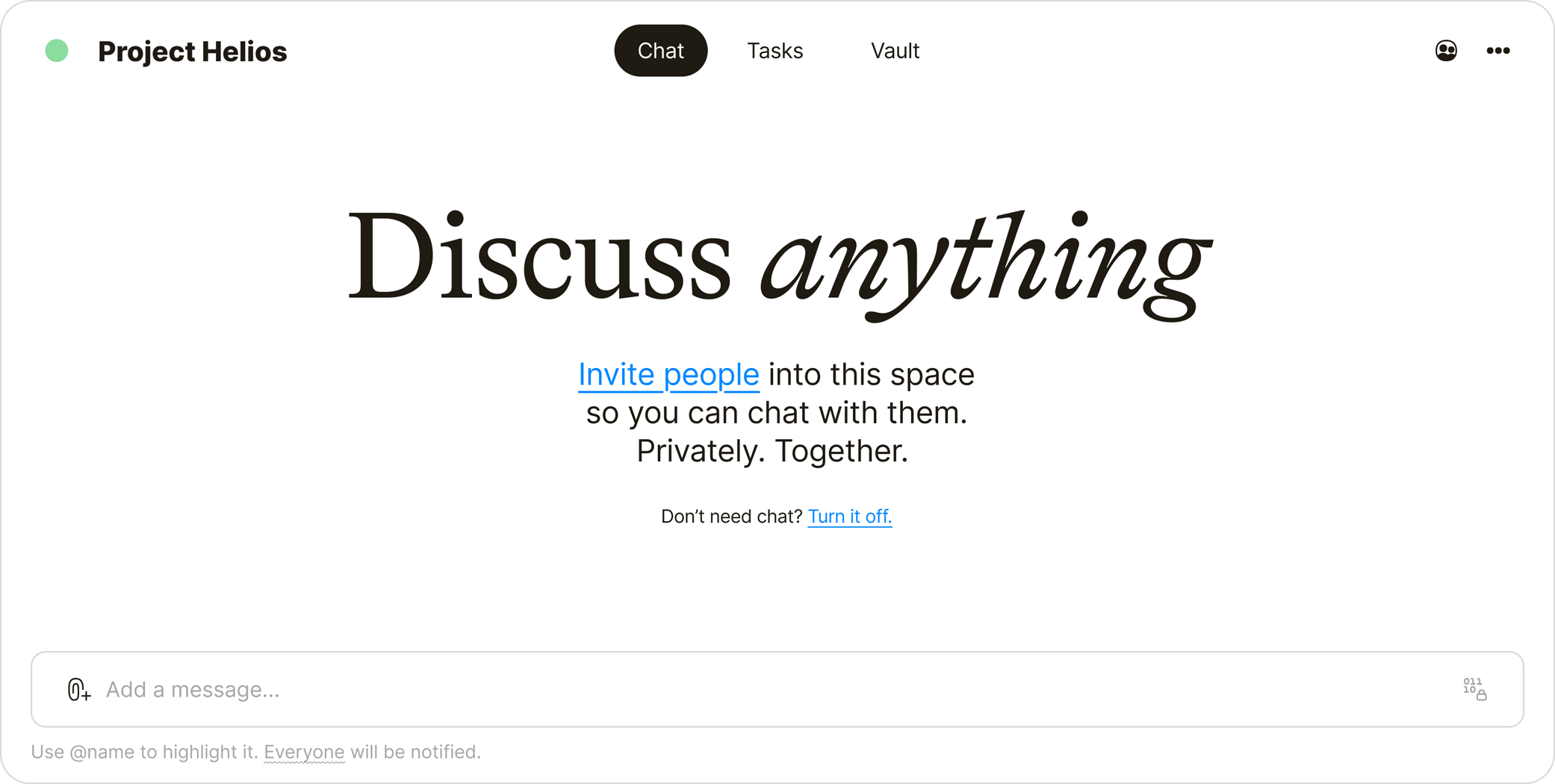
We wanted something different. Private by default. Modular by design. We built Spaces to be flexible containers. Whether you are running a DevOps team, a legal case, or a solo investigation, the Space adapts to the mission.
How it works
Create a space
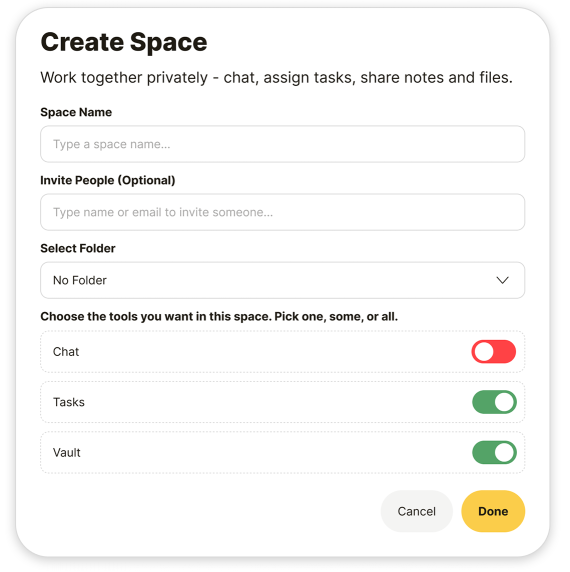
Pick a name. Invite up to 50 collaborators, or keep it entirely to yourself. Until you invite someone, the Space is a private vault.
Configure your loadout
Each space includes Chat, Tasks, and Vault.
- Don't need a noisy chat for a deep-work project? Turn it off.
- Need only Files and Notes for a data drop? Keep the Vault and disable the rest. You define the toolkit. You don't have to look at buttons you don't use.
Zero-Admin invites
Bring in the people you trust. Once they join, they see the full history of that Space. No noise, no public links—just a private, encrypted environment for collaboration.

The architecture: Zero-knowledge isolation
Everything in a Space is encrypted with PGP. Crucially, Spaces are isolated from each other. Accessing one Space does not grant access to others. Only the people holding the keys (the members) can read what is inside. No middlemen. No exceptions.
The red dot (quiet signals)
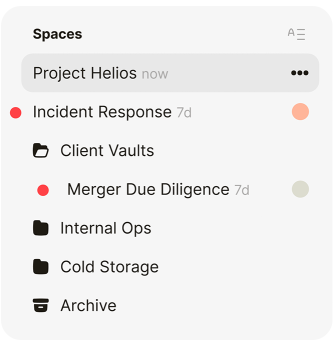
You’ll see when something happens—a new message, task, note, or file. A subtle red dot appears next to the space name in your sidebar. No spammy popups. No flying banners. Just a signal that waits for you.
The result
Total compartmentalization. It’s private. It’s flexible. You choose the tools. You choose the people. You choose the flow.
What’s next
We’re exploring granular controls: custom roles, themes, and read-only modes. But the core principle is locked: Spaces are yours, not ours.
Collaborate without an audience.
No trackers. No God View. Built to execute.
 is built with ♥ for privacy.


