
Deals fall apart when work spreads across tools.
Email, chat, cloud drive, spreadsheet — and the deal slips between them.
Files spread
Agreements, cap tables, and diligence files move through inboxes and shared links. No one's sure which copy the seller actually sent.
Questions get buried
A buyer asks about a specific section. The answer comes back days later in a different thread — the context already half-forgotten.
Checklists drift
The diligence list lives in a spreadsheet. Updates land in chat. Owners change in email. By week two, no one is sure what's still open.
Access slips
A sensitive draft sent last month may still sit in an inbox — or have been forwarded. Three deals from now, copies are still in people's archives.


Every file with its conversation.
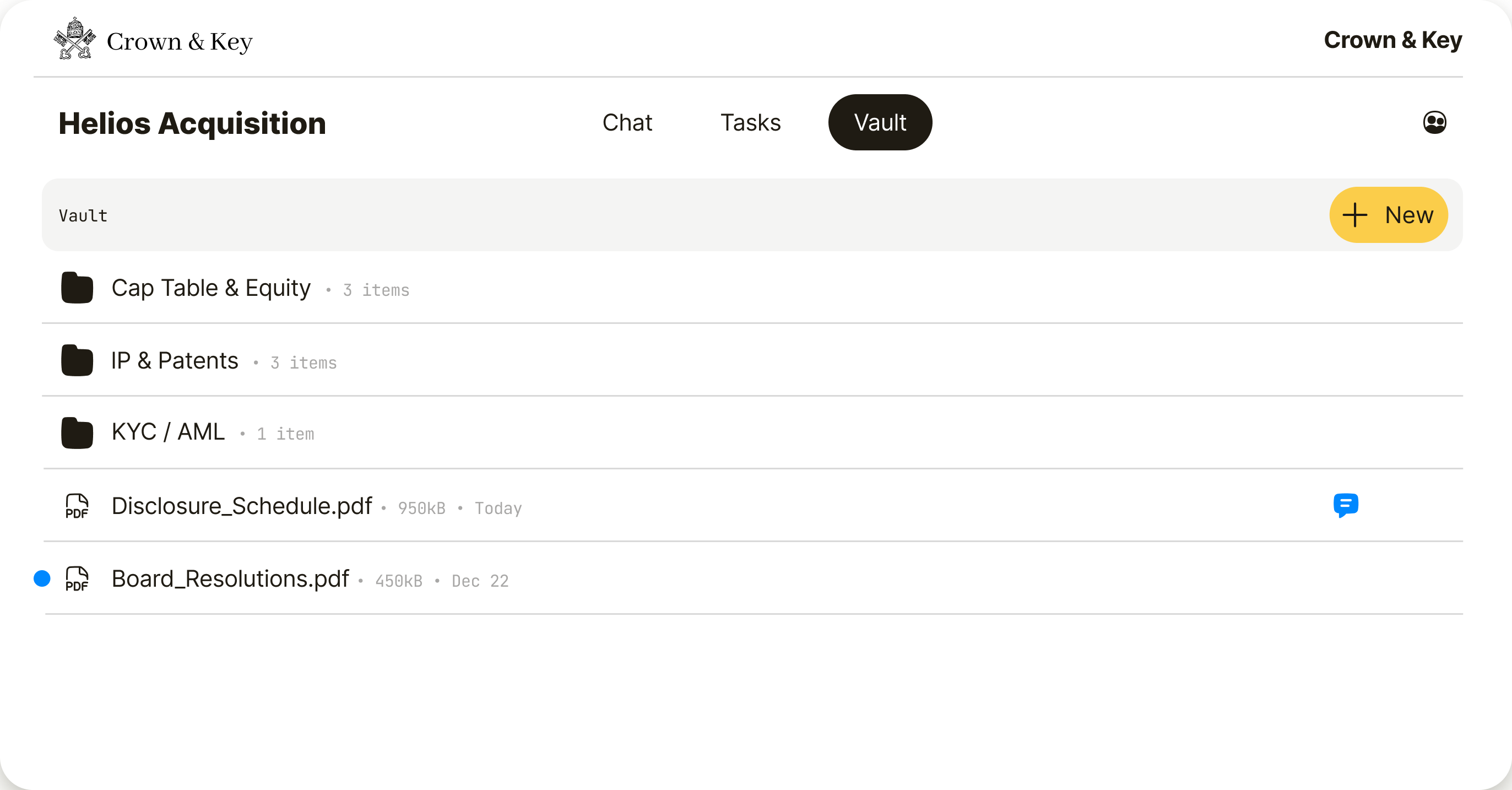
Upload diligence materials. Organize folders. Attach comments to each file. Everything stays with the material — not across inboxes and shared links.

Three places to talk. All in the room.
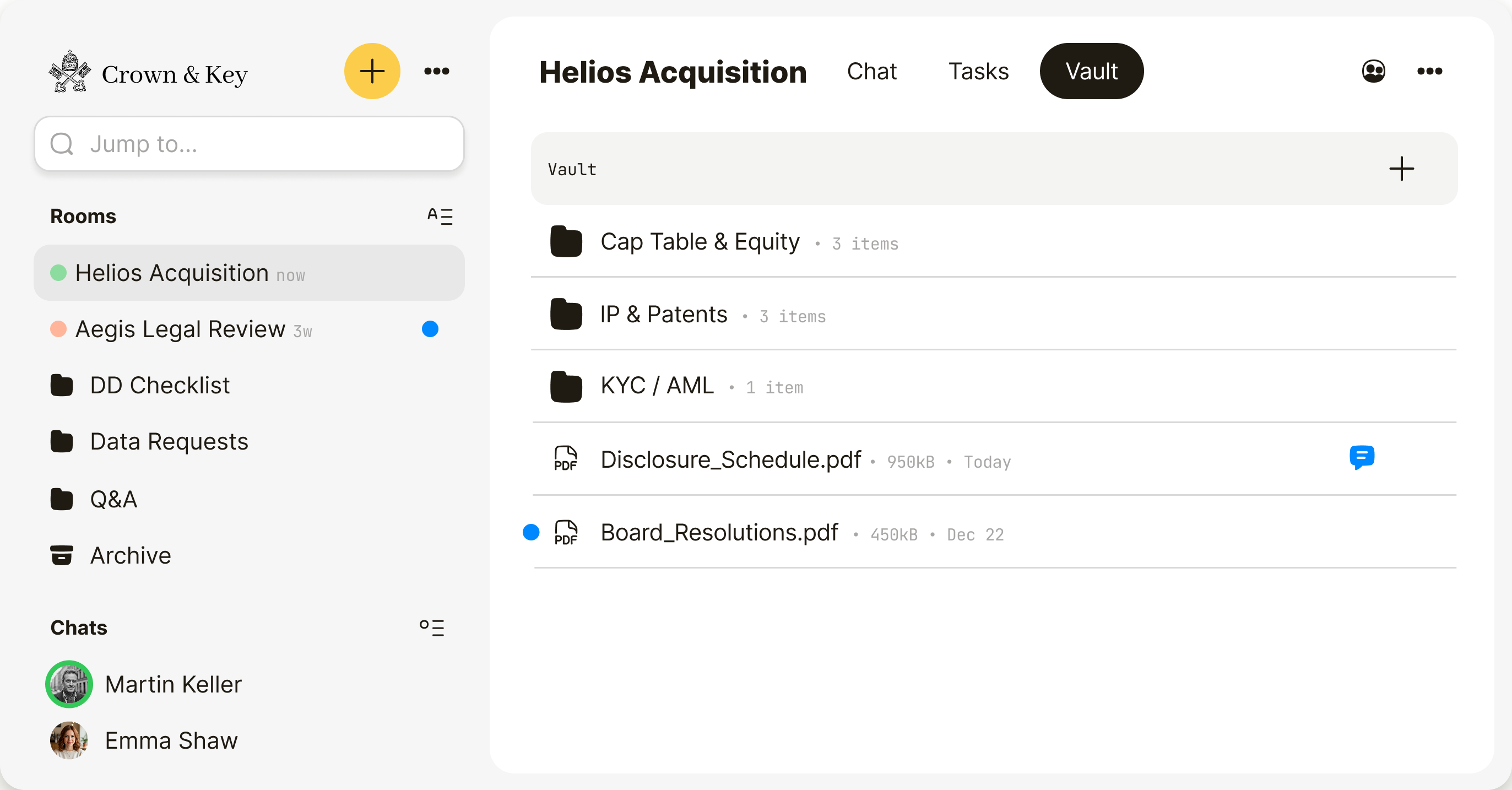
Room chat for the whole team. Direct messages for sensitive side questions. Comments beside the files, notes, and tasks they're about. The conversation stays with the work — not across email, WhatsApp, or other tools.

Write together. In the room.
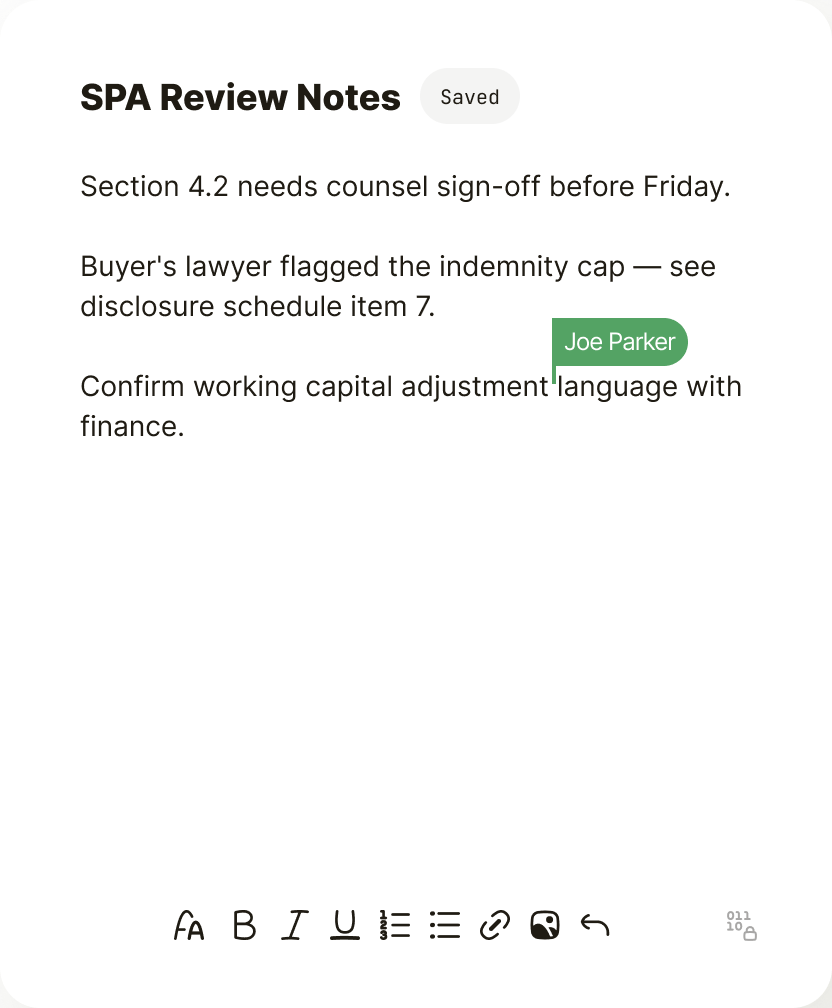
Create notes beside the files. Edit together in real time. Leave inline comments. Weeks later, the reasoning is still attached to the work.
Discuss the work. In the task.
Assign an owner. Set a due date. Attach files. Discuss the work in comments. The next step stays clear — and stays in the task.

From open to close.
Open the room. Bring in the parties. Run the deal.
1. Open a room
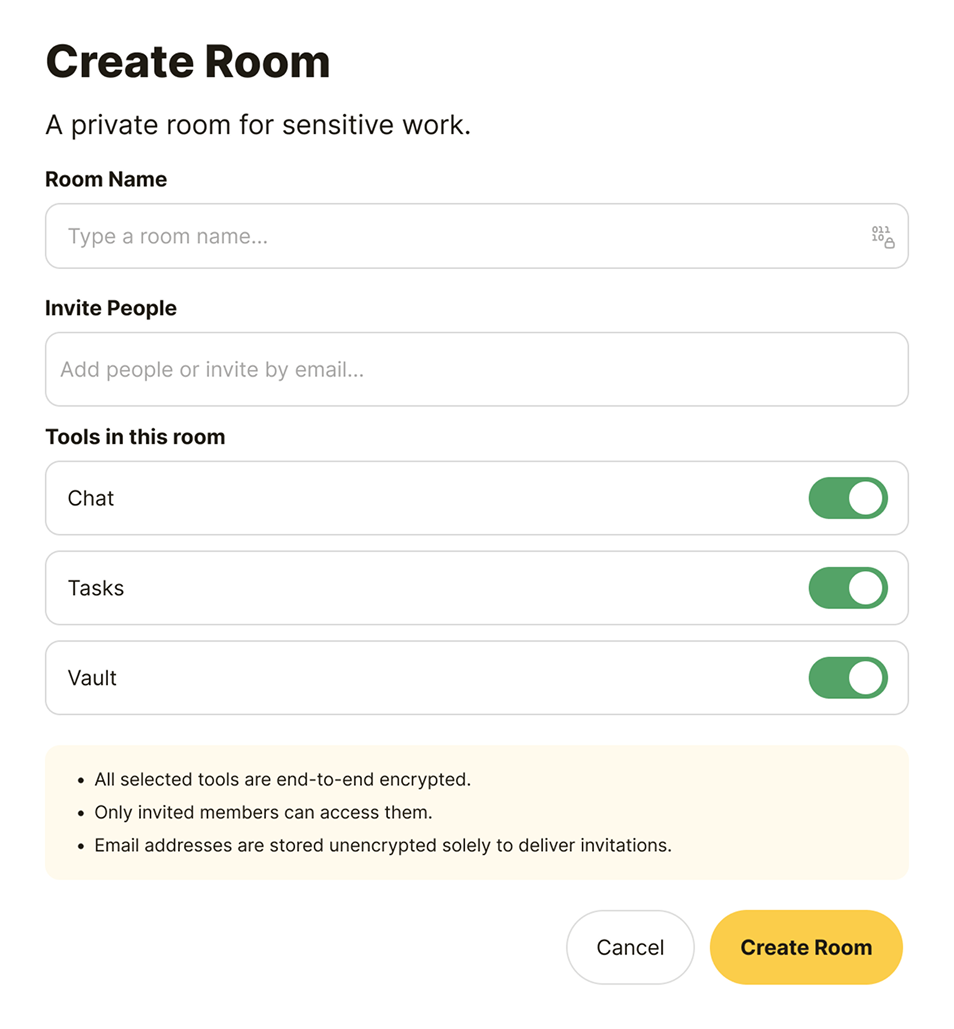
Create a private room for the deal in under a minute.
2. Invite parties
Bring in buyers, sellers, counsel, and advisors. Guests are always free.
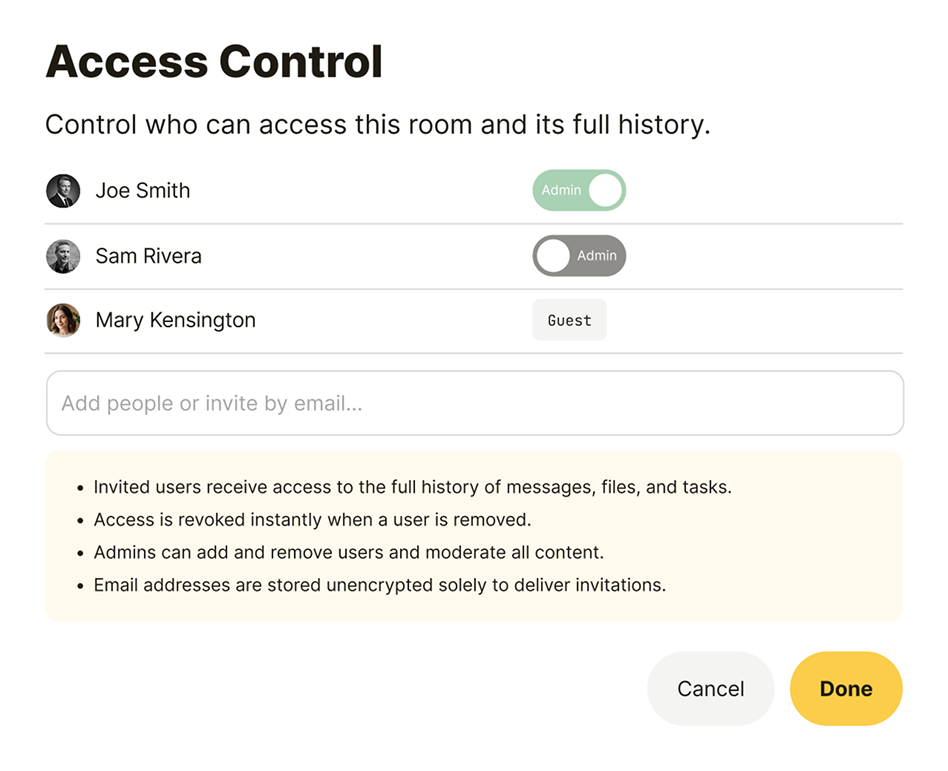
3. Add materials
Upload files, organize folders, and keep everything in the room.

4. Comment inline
Comments stay with the context — not buried in a thread.
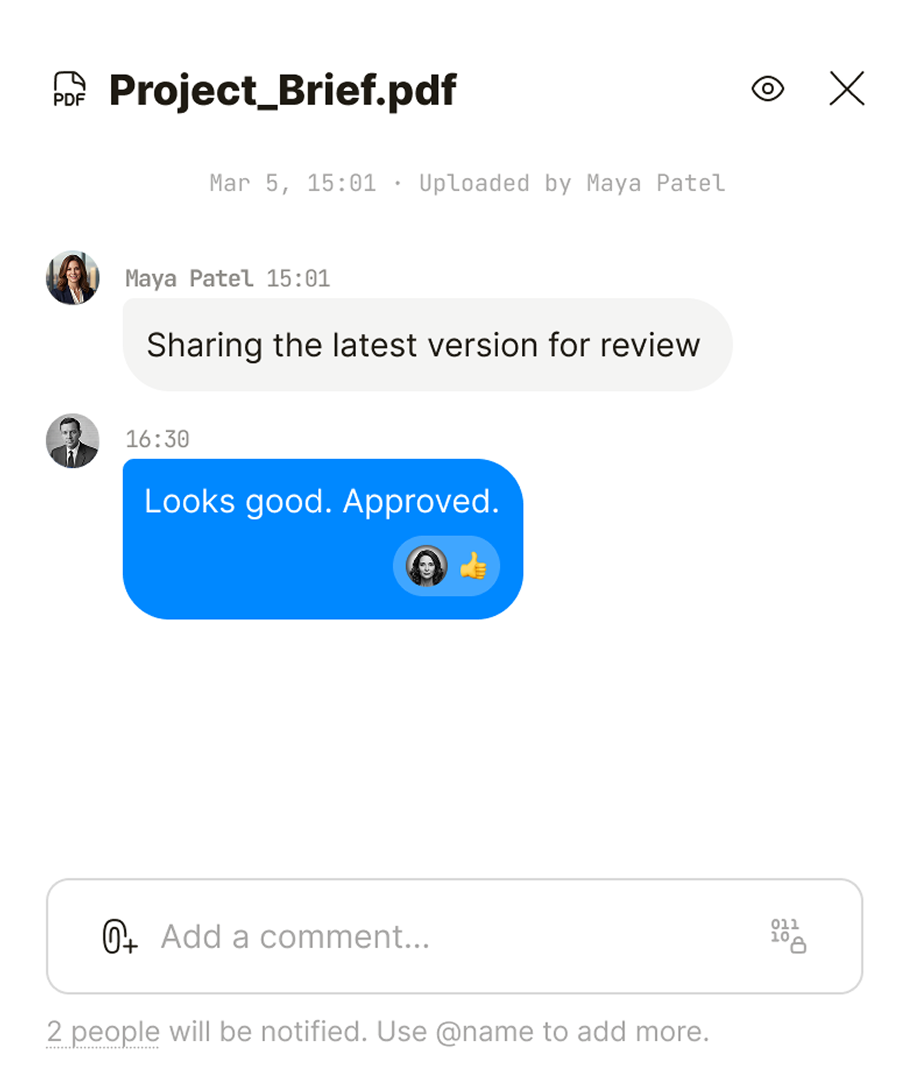
5. Track open items
Assign owners, set due dates, and keep the deal moving.
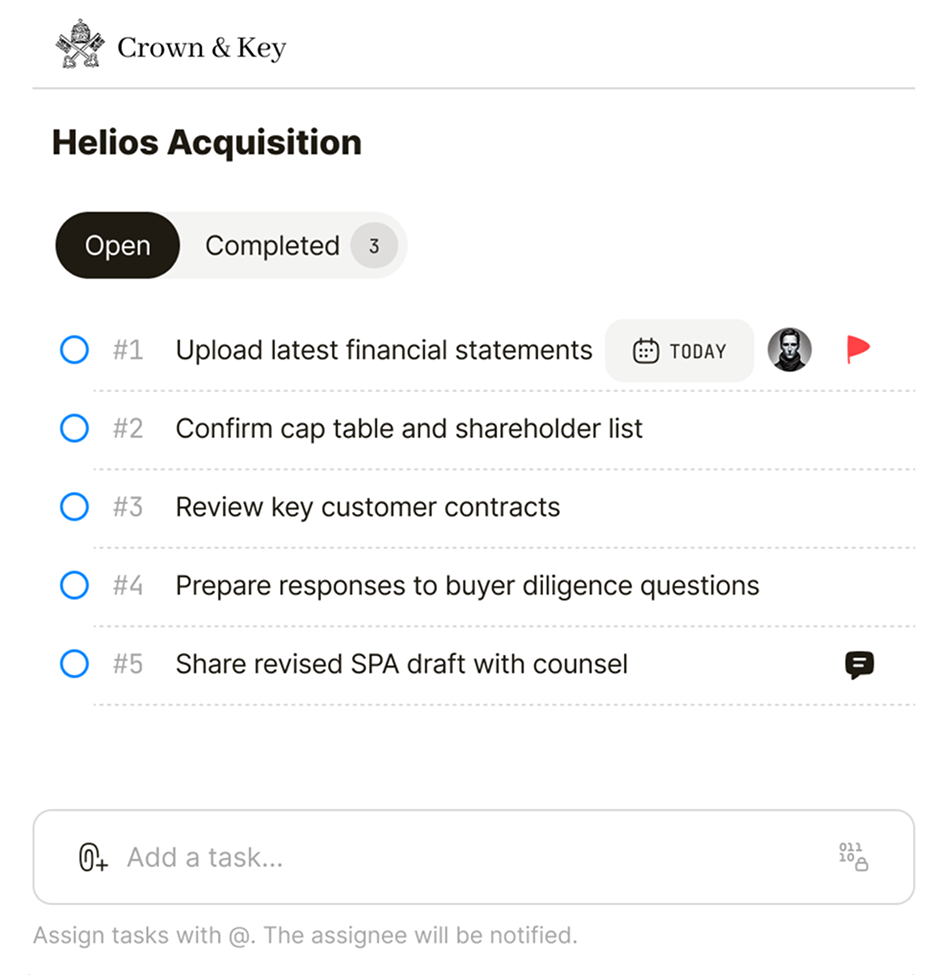
Counterparties don't just view — they work.
Guests open the deal room in the browser. They review files, answer questions, and complete tasks. They add materials and mark items done. No app. No IT setup. No training.

Encrypted before it reaches Qaxa.
Files, messages, tasks, and notes are encrypted before they leave the device. Qaxa stores only ciphertext and does not hold the keys to decrypt it. If we're subpoenaed, we have nothing to hand over.
- No AI training on your data
- Identity fingerprints for member verification
- Tamper detection for files and messages

From scattered to one room.
Today
Deal work spreads across email, cloud links, and spreadsheets. Context drifts. The deal moves, but the picture gets murky.
- Files spread across tools
- Questions buried in threads
- Status hidden in spreadsheets
- Open items tracked elsewhere
Qaxa
Files, chat, tasks, and the people on both sides stay together in one encrypted room — so the deal has one clear place to move forward.
- Files in one encrypted room
- Questions in the room, not email
- Tasks with owners and due dates
- One source of truth
For the teams moving the deal.
Boutique M&A, transactional law, and independent deal teams. All running sensitive transactions in one private room.
Run sell-side and buy-side deals in private rooms. Bring in counsel and counterparties as free guests. Keep diligence materials, questions, and conversations in one place — without a VDR for every small deal.
Run each matter in a dedicated private room. Share drafts and disclosure schedules with the client and opposing counsel — without forwarded email threads. Guests are always free.
Run multiple engagements in parallel, each in its own private room. Bring in clients, counsel, and counterparties as free guests. Nothing leaks between deals. Nothing gets lost.
Before you open a room.
A few practical details for deal teams, advisors, counsel, and guests.
Qaxa is not meant to replace a formal VDR for large, structured disclosure processes that need indexing, watermarking, secure viewing, and detailed audit reporting.
Qaxa is built for the working layer around sensitive deals — drafts, questions, tasks, notes, and the day-to-day coordination that often happens outside the VDR.
For mid-market deals, Qaxa can also be used as the main private deal room when a formal VDR is more than the deal requires.
Download the white paper: Beyond the Data Room →
Yes. In Qaxa, the cleanest setup is to create one private room for each deal.
That keeps the files, tasks, notes, questions, and discussion for that deal in one controlled room. Access stays simple — only the people involved in that deal can see it.
When the deal closes, archive the room or remove individual access — without affecting other rooms.
Setting up a deal room takes about a minute. You name the room, choose which tools are active (Vault, Chat, Tasks, Notes), and invite the people who need access.
Encryption is set up automatically when the first member joins — there's no key management on your side. Invited guests open the room in their browser; no installation, no IT involvement.
For most deals, the longest part is gathering the right invite list. The room itself is ready before the kickoff call.
Yes. Qaxa uses a host-paid model, so invited guests do not need to buy a license to join a deal room.
The room owner or a room administrator invites guests into the specific room they need to access. Guests can then participate in that room without setting up their own paid workspace.
This makes it easier to work with buyers, clients, counsel, advisors, consultants, and other external parties without adding license friction to the deal process.
Learn more about Qaxa pricing →
The room owner and admins control who's invited into the deal room and who stays.
In Qaxa, each room has its own members, so access to one deal doesn't create access to another. You can invite the right people for that specific deal — clients, counterparties, counsel, advisors, or your own team — and remove access through the room's access controls.
This keeps the deal contained — and stops sensitive work from spreading across unrelated teams, inboxes, or shared folders.
When someone no longer needs to be involved, the room owner or a room administrator can remove their access from the deal room.
This keeps the room limited to the people who still need to see the files, tasks, notes, and discussion for that transaction. It is useful when an advisor changes, a buyer drops out, a consultant finishes their work, or the deal moves to a new stage.
As with any collaboration tool, material that was previously downloaded, copied, or saved cannot be technically recalled from someone else’s device. But removing access stops future room access and helps keep the ongoing work contained.
No. Qaxa is designed so room content is encrypted before it leaves the user's device. Qaxa stores encrypted data — ciphertext — not readable room content.
That means Qaxa cannot read your files, notes, tasks, comments, or conversations inside the room.
Qaxa still needs limited operational data to run the service: account email addresses, billing records, plan status, timestamps, and support communications. But everything inside the room — the deal content itself — stays encrypted end-to-end, and Qaxa never holds the keys.
This is the core principle: Qaxa runs the service without access to the sensitive work inside the room.
Learn more about Qaxa’s security model →
Qaxa stores encrypted room content (ciphertext) on infrastructure hosted in the Frankfurt, Germany (EU).
Because room content is end-to-end encrypted, what's actually stored is ciphertext — not readable files, messages, or notes. Even with physical access to the storage, no one outside the room can decrypt the contents.
For EU customers, this means deal content stays within EU-hosted infrastructure. Account metadata (email addresses, billing, timestamps) is stored on the same infrastructure but is not encrypted end-to-end — Qaxa needs that data to operate the service.
Learn more about Qaxa's security model →
“20% of US law firms were targeted by cyberattacks last year. 56% of those breached lost sensitive client information.”